

preload setting on each MCP server entry controls whether those definitions are loaded upfront or discovered on demand.
By default, preload is false — the agent only sees each MCP server’s name and description at startup and loads individual tool schemas as needed. This keeps the context window lean while still giving the agent access to the full breadth of tools.
Set it in Build Agent
Each connector’s chip in Build Agent’s MCP Servers section has a book-icon preload toggle — off by default. Hover it to see the tradeoff, click to switch it on.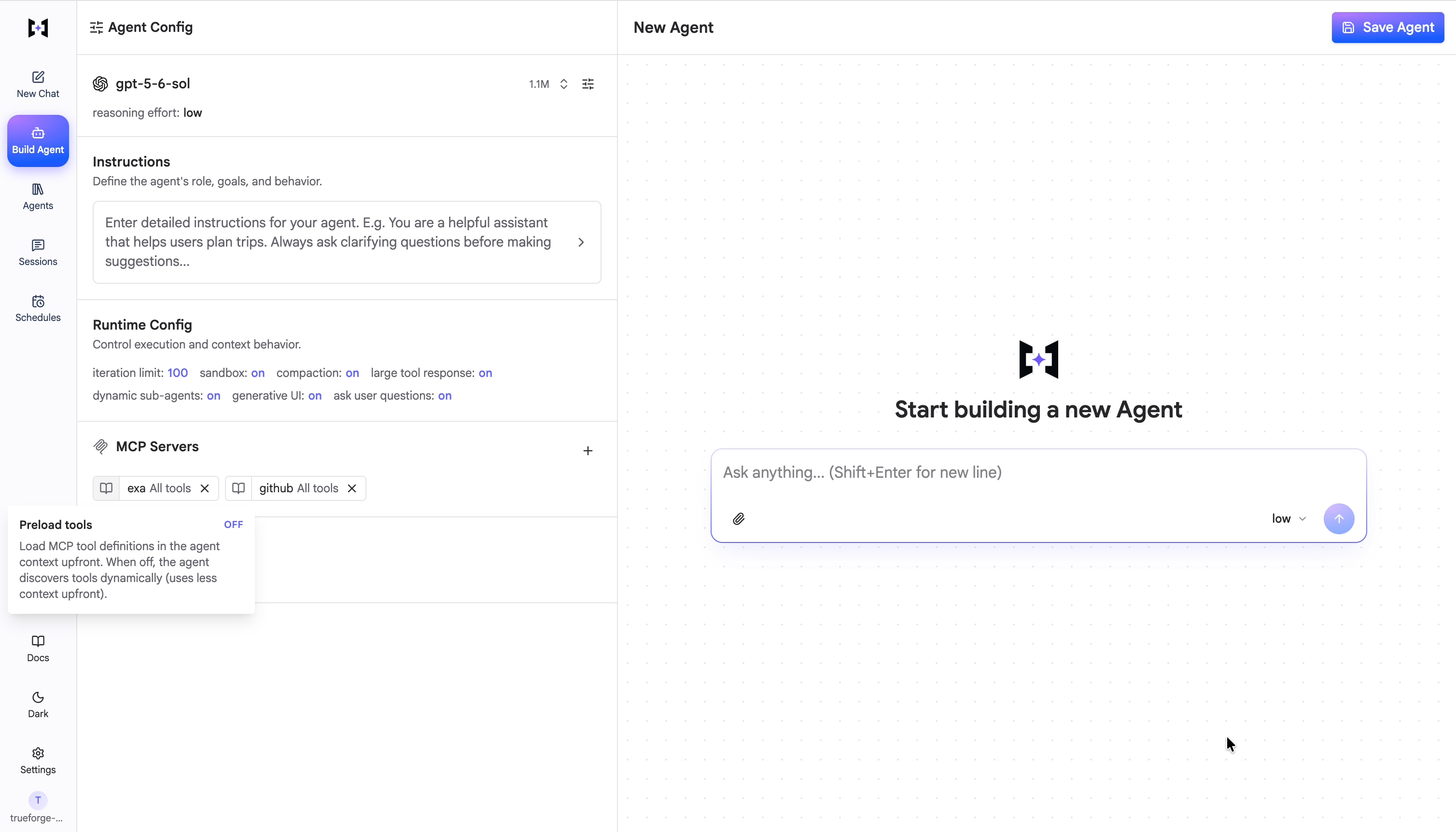
Off (default) — tools are discovered on demand.
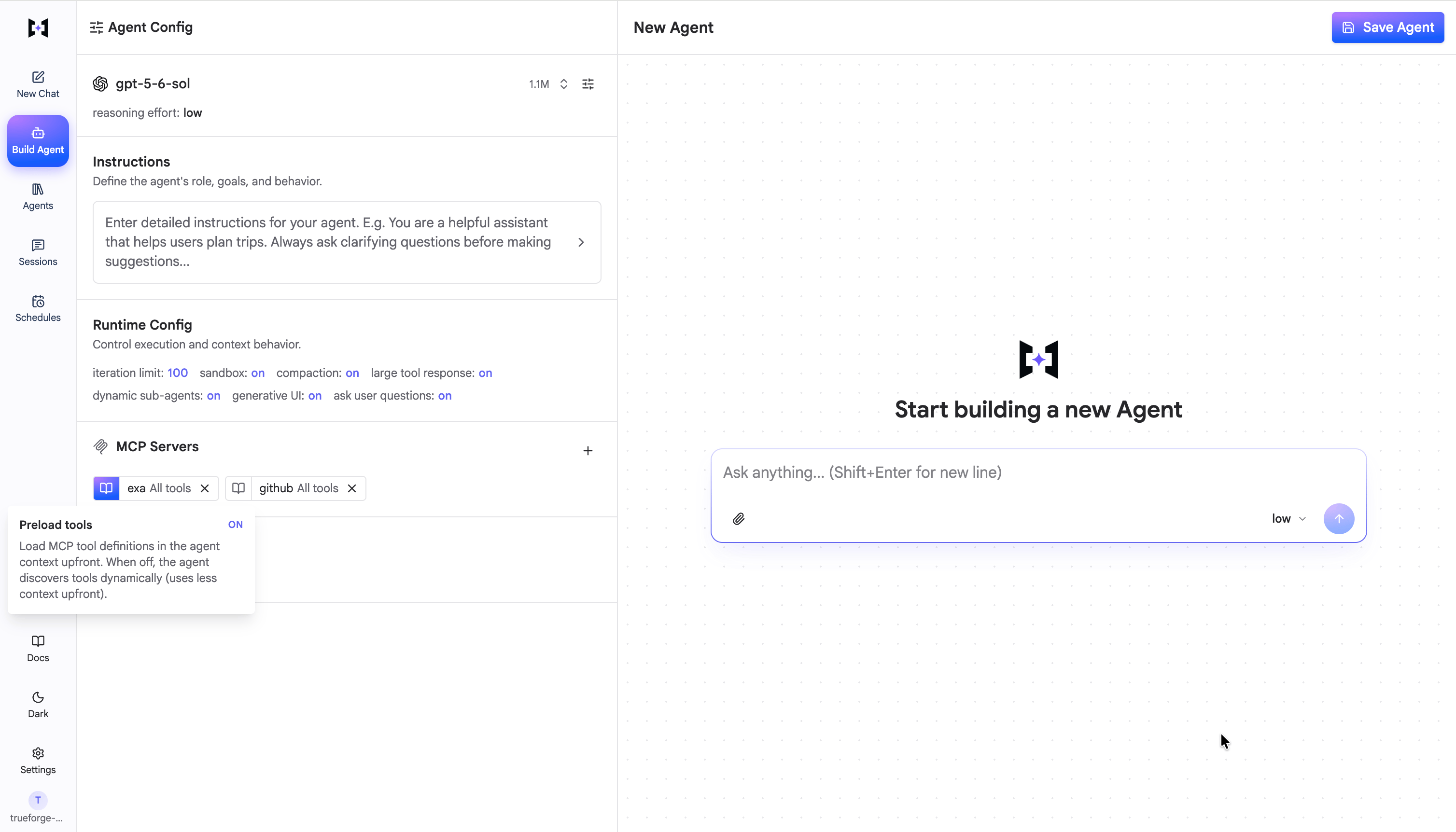
On — tool definitions load into context upfront.
The problem
- Each tool definition — name, description, input schema, output schema — consumes tokens from the available context window.
- With many MCP servers and tools, the context window can fill up before any user interaction happens.
- Most interactions only need a small subset of the available tools.
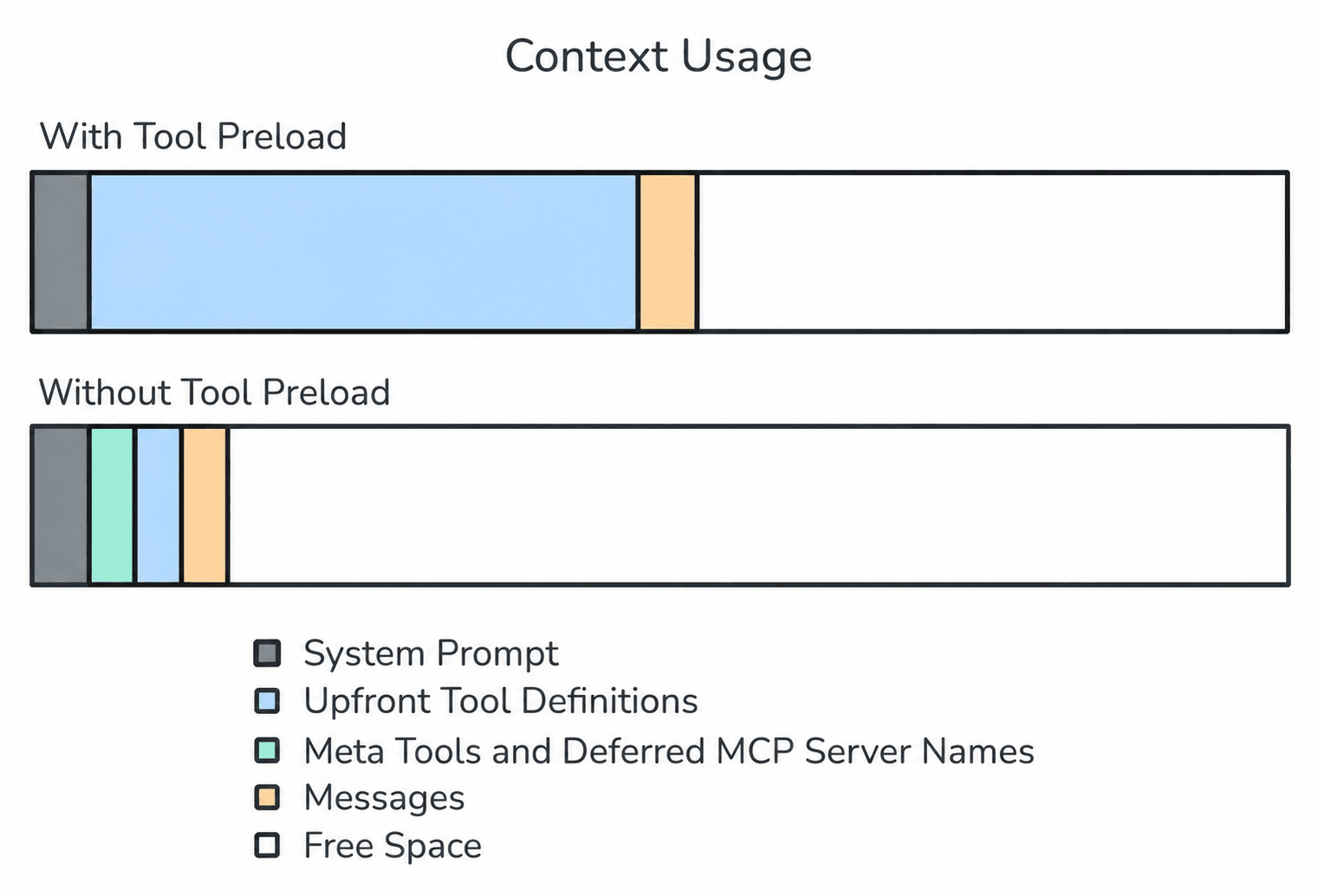
Deferring tool loading keeps the agent's context window lean
How it works
When
preload is off, the harness exposes four meta tools instead of the individual tool definitions:
The extra discovery round-trips only happen the first time a tool is needed — and they are far cheaper than carrying every schema in context on every model call.
Selective preloading
You don’t have to choose all-or-nothing.preload_tools eagerly loads specific tools while the rest of the server stays deferred:
Example
An agent hasinternal-platform-mcp (100+ tools, preload: false) and web_search (2 tools, preload: true) attached. The user asks a question that needs a platform lookup:
- The agent calls
list_tools("internal-platform-mcp")and gets back the tool names. - It calls
get_tool_info("internal-platform-mcp", "list_applications")for the schema of the one tool it needs. - It calls
call_tool("internal-platform-mcp", "list_applications", {...})and gets the result. - The
web_searchtools were preloaded, so it can call them directly with no discovery step.