> ## Documentation Index
> Fetch the complete documentation index at: https://trueforge.dev/llms.txt
> Use this file to discover all available pages before exploring further.
# Settings catalog
> The optional catalog port behind the model, connector, skill, and sandbox settings.
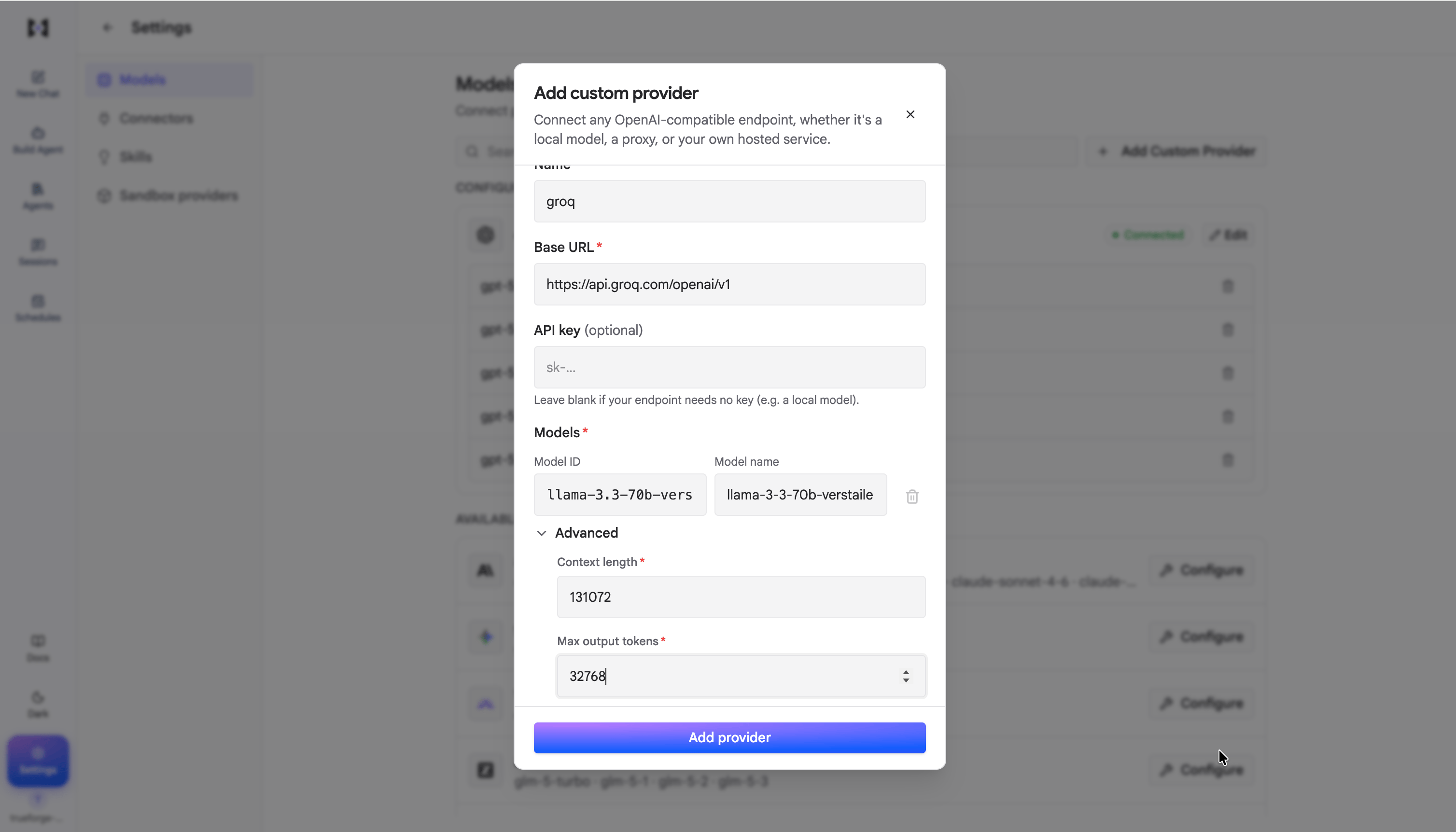
`catalog` is the optional fourth part of an [`AgentUIServer`](/ui-sdk/setup-custom-servers/server-contract). Attach
it and the settings UI appears; omit it and those surfaces stay hidden.
```ts theme={null}
interface CatalogServer {
modelCatalog: ModelCatalogServer;
connectorCatalog: ConnectorCatalogServer;
skillCatalog?: SkillCatalogServer;
sandboxCatalog?: SandboxCatalogServer;
}
```
Models and connectors are required; skills and sandboxes are optional, so omit either when your
product has no such settings page.
Two conventions recur across all four. Every catalog exposes a **discovery** list of things the
user could add (`get*Catalog`) alongside a list of what they have already configured
(`list*`). And public read shapes never carry secrets — `apiKey` is accepted on writes and
never returned.
```ts theme={null}
interface ModelCatalogServer {
getModelProviderCatalog(): Promise;
listModelProviders(): Promise;
createModelProvider(req: CreateModelProviderRequest): Promise;
updateModelProvider(req: UpdateModelProviderRequest): Promise;
deleteModelProvider?(req: { id: string }): Promise;
}
```
```ts theme={null}
interface ModelEntry {
id: string; // the model ID sent to the provider
name: string; // display name
}
interface ModelProviderBase {
id: string;
type: ProviderType;
name: string;
baseUrl?: string;
models: ModelEntry[];
}
```
`ProviderType` is a `string`. The literal `"custom"` is reserved for user-defined
providers; any other value denotes a builtin such as `"openai"` or `"anthropic"`.
`baseUrl` is present exactly when `type` is `"custom"` — builtins resolve their own
endpoint.
Writes carry the key: `CreateModelProviderRequest` is
`{ type, name, baseUrl?, apiKey, models }`, and the update form is the same plus a required
`id`. Updates are a **full replace** keyed by `id`, not a patch — send the complete
`models` array, since omitted entries are dropped.
`ModelProviderCatalogEntry` is discovery-only —
`{ type, name, models, supportedReasoningEfforts?, logo? }` — with no `id` and no key. Its
`type` is never `"custom"`, because a custom provider is created through the custom form
rather than picked from a catalog.
`supportedReasoningEfforts` lists the effort levels the provider's models accept, which the
custom-provider form offers when configuring a model. `logo` is an optional image for the
provider card.
 ```ts theme={null}
interface ConnectorCatalogServer {
getConnectorCatalog(): Promise;
listConnectors(req?: { query?: string }): Promise;
createConnector(req: CreateConnectorRequest): Promise;
updateConnector(req: UpdateConnectorRequest): Promise;
authenticateConnector(
req: AuthenticateConnectorRequest,
): Promise;
disconnectConnector(req: { id: string }): Promise;
deleteConnector?(req: { id: string }): Promise;
}
```
```ts theme={null}
interface ConnectorBase {
id: string;
name: string;
description: string;
url: string;
auth: ConnectorAuthPublic;
requiresAuth: boolean;
authenticated: boolean;
}
```
`requiresAuth: false` tells the UI to hide the Disconnect action. `authenticated` drives the
connected/disconnected state shown to the user.
Auth comes in two parallel unions — one for writes, one for public reads:
| `type` | Write (`ConnectorAuth`) | Public (`ConnectorAuthPublic`) |
| - | - | - |
| `"dcr"` | `{ authUrl?: string }` | `{ authUrl: string }` — required |
| `"header"` | `{ apiKey?, headerName? }` | `{ headerName? }` — no key |
| `"none"` | `—` | `—` |
The write union accepts an `apiKey`; the public union has no such field, which is what keeps
secrets out of read paths. For `dcr`, `authUrl` is required on the public shape because the
UI needs somewhere to send the user.
`authenticateConnector` starts the OAuth flow. It takes
`{ id, redirectURL? }` — `redirectURL` being the callback page your application owns — and
its return type is a union:
```ts theme={null}
interface ConnectorAuthenticationResult {
connector?: ConnectorBase;
status?: string;
authorization_endpoint?: string;
}
```
Return a plain `ConnectorBase` when the connector is already authenticated or when
`auth.authUrl` carries the authorize URL. Return the result object when the popup flow needs
an `authorization_endpoint`. Handle both when consuming it.
`disconnectConnector` clears auth and returns the updated connector, so the UI can re-render
from the response. As with providers, `updateConnector` is a full replace keyed by `id`.
```ts theme={null}
interface SkillCatalogServer {
getSkillCatalog(): Promise;
listSkills(req?: { query?: string }): Promise;
createSkill(req: CreateSkillRequest): Promise;
deleteSkill?(req: { id: string }): Promise;
}
```
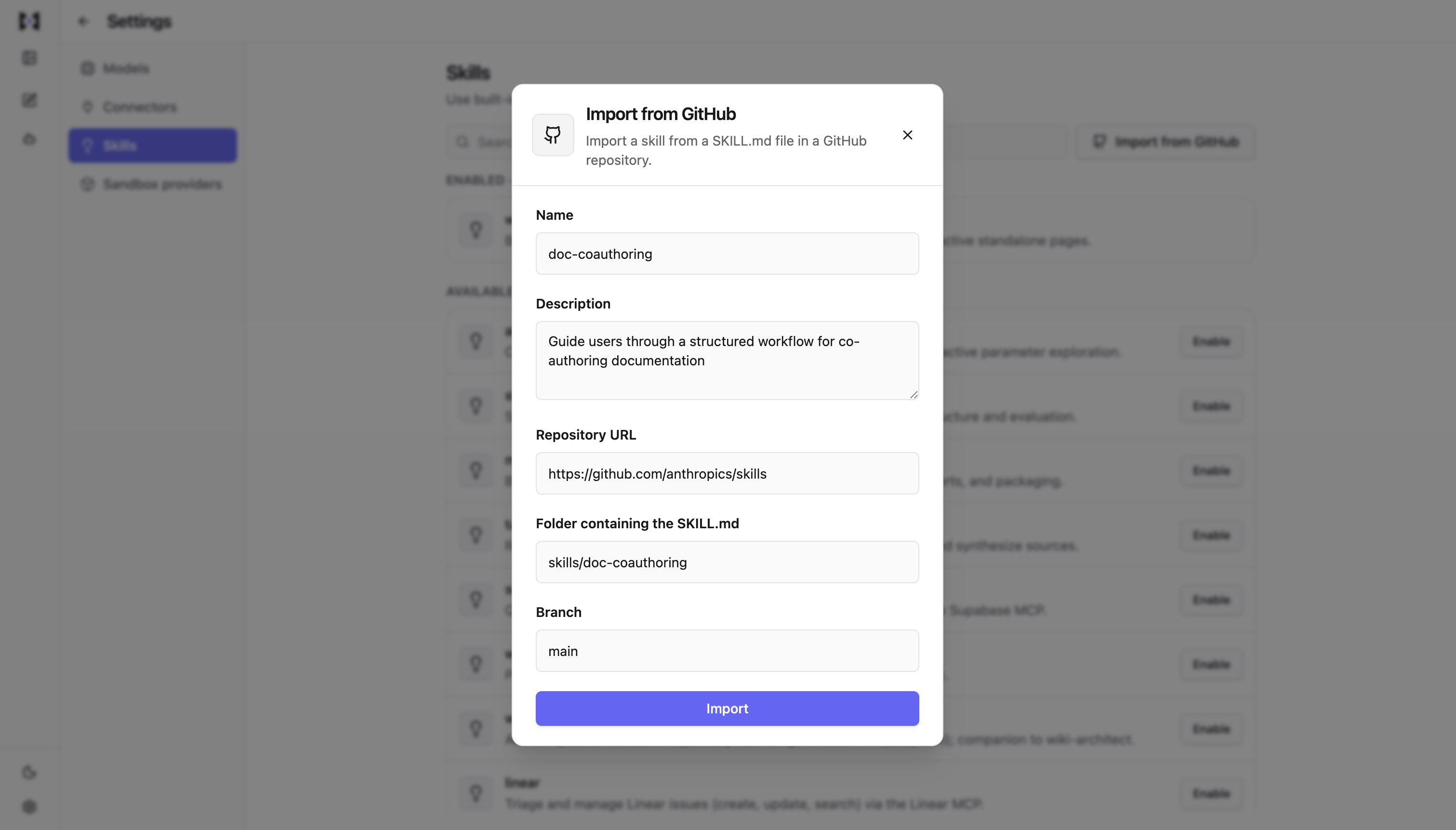
Skills are backed by a git source. The fields shared by catalog entries and create requests
are:
```ts theme={null}
interface SkillConfigBase {
name: string;
description: string;
repoURL: string;
path: string;
ref: string;
}
```
A skill can be created two ways, and the request is a union of the two:
```ts theme={null}
type CreateSkillRequest = SelectRegistrySkillRequest | ImportGithubSkillRequest;
```
Picking one from the catalog sends `SelectRegistrySkillRequest`, which adds a `catalogId`
recording the `SkillCatalogEntry` it came from. Importing a repository directly sends
`ImportGithubSkillRequest`, which carries only the git fields. The distinction persists into
the read shape: a `RegistrySkill` has `catalogId`, a `GithubSkill` does not.
There is no `updateSkill` — skills are created and deleted rather than edited. Deletion is
asymmetric between the two kinds: removing a registry skill returns it to the catalog as
selectable again, while removing a GitHub-imported skill is permanent.
```ts theme={null}
interface ConnectorCatalogServer {
getConnectorCatalog(): Promise;
listConnectors(req?: { query?: string }): Promise;
createConnector(req: CreateConnectorRequest): Promise;
updateConnector(req: UpdateConnectorRequest): Promise;
authenticateConnector(
req: AuthenticateConnectorRequest,
): Promise;
disconnectConnector(req: { id: string }): Promise;
deleteConnector?(req: { id: string }): Promise;
}
```
```ts theme={null}
interface ConnectorBase {
id: string;
name: string;
description: string;
url: string;
auth: ConnectorAuthPublic;
requiresAuth: boolean;
authenticated: boolean;
}
```
`requiresAuth: false` tells the UI to hide the Disconnect action. `authenticated` drives the
connected/disconnected state shown to the user.
Auth comes in two parallel unions — one for writes, one for public reads:
| `type` | Write (`ConnectorAuth`) | Public (`ConnectorAuthPublic`) |
| - | - | - |
| `"dcr"` | `{ authUrl?: string }` | `{ authUrl: string }` — required |
| `"header"` | `{ apiKey?, headerName? }` | `{ headerName? }` — no key |
| `"none"` | `—` | `—` |
The write union accepts an `apiKey`; the public union has no such field, which is what keeps
secrets out of read paths. For `dcr`, `authUrl` is required on the public shape because the
UI needs somewhere to send the user.
`authenticateConnector` starts the OAuth flow. It takes
`{ id, redirectURL? }` — `redirectURL` being the callback page your application owns — and
its return type is a union:
```ts theme={null}
interface ConnectorAuthenticationResult {
connector?: ConnectorBase;
status?: string;
authorization_endpoint?: string;
}
```
Return a plain `ConnectorBase` when the connector is already authenticated or when
`auth.authUrl` carries the authorize URL. Return the result object when the popup flow needs
an `authorization_endpoint`. Handle both when consuming it.
`disconnectConnector` clears auth and returns the updated connector, so the UI can re-render
from the response. As with providers, `updateConnector` is a full replace keyed by `id`.
```ts theme={null}
interface SkillCatalogServer {
getSkillCatalog(): Promise;
listSkills(req?: { query?: string }): Promise;
createSkill(req: CreateSkillRequest): Promise;
deleteSkill?(req: { id: string }): Promise;
}
```
Skills are backed by a git source. The fields shared by catalog entries and create requests
are:
```ts theme={null}
interface SkillConfigBase {
name: string;
description: string;
repoURL: string;
path: string;
ref: string;
}
```
A skill can be created two ways, and the request is a union of the two:
```ts theme={null}
type CreateSkillRequest = SelectRegistrySkillRequest | ImportGithubSkillRequest;
```
Picking one from the catalog sends `SelectRegistrySkillRequest`, which adds a `catalogId`
recording the `SkillCatalogEntry` it came from. Importing a repository directly sends
`ImportGithubSkillRequest`, which carries only the git fields. The distinction persists into
the read shape: a `RegistrySkill` has `catalogId`, a `GithubSkill` does not.
There is no `updateSkill` — skills are created and deleted rather than edited. Deletion is
asymmetric between the two kinds: removing a registry skill returns it to the catalog as
selectable again, while removing a GitHub-imported skill is permanent.
 ```ts theme={null}
interface SandboxSnapshotSyncStatus {
status: 'pending' | 'ready' | 'failed';
statusReason?: string;
}
interface SandboxProviderListEntry {
data: SandboxProviderBase;
snapshotSyncStatus: SandboxSnapshotSyncStatus;
}
interface SandboxCatalogServer {
getSandboxProviderCatalog(): Promise;
listSandboxProviders(req?: { query?: string }): Promise;
createSandboxProvider(req: CreateSandboxProviderRequest): Promise;
updateSandboxProvider(req: UpdateSandboxProviderRequest): Promise;
deleteSandboxProvider?(req: { id: string }): Promise;
}
```
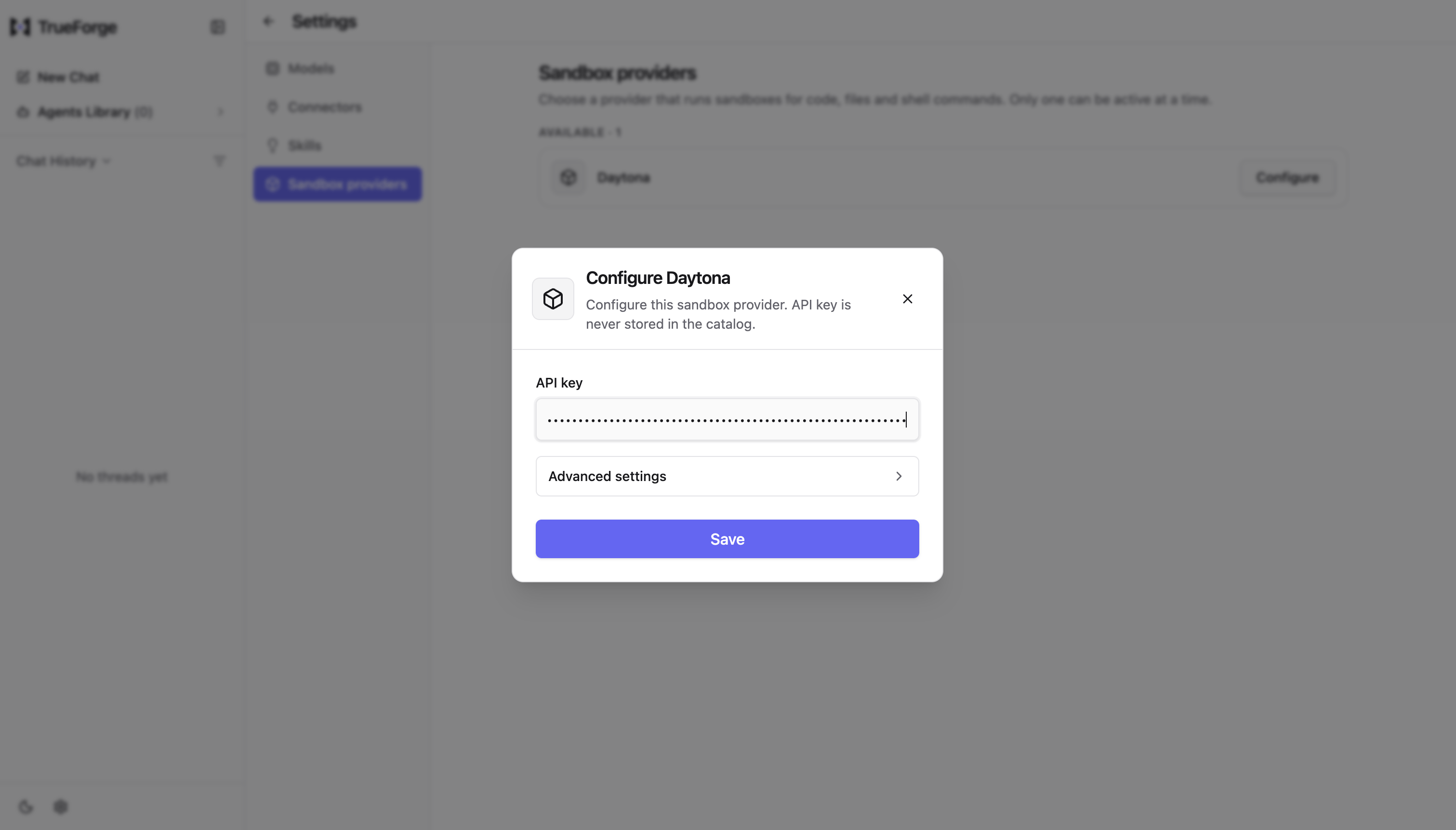
The tunable settings are shared across catalog rows, connected rows, creates, and updates:
```ts theme={null}
interface SandboxProviderConfig {
execTimeoutMs: number;
autoStopIntervalInMinutes: number;
autoArchiveIntervalInMinutes: number;
autoDeleteIntervalInMinutes: number;
}
```
The three lifecycle intervals are a progression: a sandbox stops, is later archived, and is
eventually deleted. `execTimeoutMs` caps a single execution rather than the sandbox's
lifetime.
`SandboxProviderBase` extends that config with `{ id, name, catalogId, isConnected }`. Note
it carries the last-saved config rather than omitting it, so an update form can show current
values without a second fetch. `SandboxProviderCatalogEntry` adds `{ id, name, type }`.
`SandboxProviderListEntry` pairs each configured provider with the current snapshot sync
status. A failed status may include `statusReason` with a human-readable failure detail.
`CreateSandboxProviderRequest` adds `catalogId`, `name`, `type`, and a required `apiKey`.
`UpdateSandboxProviderRequest` takes `id` plus the config, with an **optional** `apiKey` —
omit it to keep the existing key, send one to rotate. That is the one place a catalog write
is not a straight full replace.
```ts theme={null}
interface SandboxSnapshotSyncStatus {
status: 'pending' | 'ready' | 'failed';
statusReason?: string;
}
interface SandboxProviderListEntry {
data: SandboxProviderBase;
snapshotSyncStatus: SandboxSnapshotSyncStatus;
}
interface SandboxCatalogServer {
getSandboxProviderCatalog(): Promise;
listSandboxProviders(req?: { query?: string }): Promise;
createSandboxProvider(req: CreateSandboxProviderRequest): Promise;
updateSandboxProvider(req: UpdateSandboxProviderRequest): Promise;
deleteSandboxProvider?(req: { id: string }): Promise;
}
```
The tunable settings are shared across catalog rows, connected rows, creates, and updates:
```ts theme={null}
interface SandboxProviderConfig {
execTimeoutMs: number;
autoStopIntervalInMinutes: number;
autoArchiveIntervalInMinutes: number;
autoDeleteIntervalInMinutes: number;
}
```
The three lifecycle intervals are a progression: a sandbox stops, is later archived, and is
eventually deleted. `execTimeoutMs` caps a single execution rather than the sandbox's
lifetime.
`SandboxProviderBase` extends that config with `{ id, name, catalogId, isConnected }`. Note
it carries the last-saved config rather than omitting it, so an update form can show current
values without a second fetch. `SandboxProviderCatalogEntry` adds `{ id, name, type }`.
`SandboxProviderListEntry` pairs each configured provider with the current snapshot sync
status. A failed status may include `statusReason` with a human-readable failure detail.
`CreateSandboxProviderRequest` adds `catalogId`, `name`, `type`, and a required `apiKey`.
`UpdateSandboxProviderRequest` takes `id` plus the config, with an **optional** `apiKey` —
omit it to keep the existing key, send one to rotate. That is the one place a catalog write
is not a straight full replace.
 ## Accessing the catalog
```ts theme={null}
import { useCatalogServer, useOptionalCatalogServer } from "@truefoundry/trueforge-ui";
```
`useCatalogServer()` throws when no catalog is attached, so use it only where one is
guaranteed. `useOptionalCatalogServer()` returns `null` instead — prefer it in components that
must render either way.
## Widening
Every catalog interface is generic over its row and request types, following the same pattern as
[the chat and builder ports](/ui-sdk/setup-custom-servers/server-contract#widening-the-types):
```ts theme={null}
interface MyModelEntry extends ModelEntry {
contextWindow: number;
}
const modelCatalog: ModelCatalogServer = {
/* ... */
};
```
Note that `ConnectorCatalogServer`'s first type parameter is `TTool extends ToolBase`, so a
host that surfaces per-connector tool metadata widens there.
Auth branches are widened by intersecting a branch and re-forming the union, so you can add
fields to one variant without loosening the others:
```ts theme={null}
type MyConnectorAuth =
| (ConnectorAuthOAuth & { scopes: string[] })
| ConnectorAuthApiKey
| ConnectorAuthNone;
```
This documentation is built and hosted on [Mintlify](https://mintlify.com), a developer documentation platform.
## Accessing the catalog
```ts theme={null}
import { useCatalogServer, useOptionalCatalogServer } from "@truefoundry/trueforge-ui";
```
`useCatalogServer()` throws when no catalog is attached, so use it only where one is
guaranteed. `useOptionalCatalogServer()` returns `null` instead — prefer it in components that
must render either way.
## Widening
Every catalog interface is generic over its row and request types, following the same pattern as
[the chat and builder ports](/ui-sdk/setup-custom-servers/server-contract#widening-the-types):
```ts theme={null}
interface MyModelEntry extends ModelEntry {
contextWindow: number;
}
const modelCatalog: ModelCatalogServer = {
/* ... */
};
```
Note that `ConnectorCatalogServer`'s first type parameter is `TTool extends ToolBase`, so a
host that surfaces per-connector tool metadata widens there.
Auth branches are widened by intersecting a branch and re-forming the union, so you can add
fields to one variant without loosening the others:
```ts theme={null}
type MyConnectorAuth =
| (ConnectorAuthOAuth & { scopes: string[] })
| ConnectorAuthApiKey
| ConnectorAuthNone;
```
This documentation is built and hosted on [Mintlify](https://mintlify.com), a developer documentation platform.