> ## Documentation Index
> Fetch the complete documentation index at: https://trueforge.dev/llms.txt
> Use this file to discover all available pages before exploring further.
# Setup Models
> Connect model providers from the shipped catalog or add a custom OpenAI-compatible endpoint.
TrueForge works with the major model providers and any OpenAI-compatible endpoint. Configure credentials once under **Settings → Models**. Agents reference models by name — agent definitions never contain API keys.
## Supported providers
| Provider type | Notes |
| - | - |
| `openai` | OpenAI |
| `anthropic` | Anthropic |
| `google-gemini` | Google Gemini |
| `fireworks` | Fireworks AI |
| `together` | Together AI |
| `moonshot` | Moonshot AI (Kimi) |
| `zai` | Z.ai (GLM) |
| `alibaba` | Alibaba (Qwen) |
| `custom` | Any OpenAI-compatible endpoint — self-hosted models, gateways, proxies |
## Configuring a standard provider
Open **Settings → Models**, pick a provider, and paste your API key. Models from that provider become available immediately in the agent model selector.
The provider list comes from the shipped model catalog — see [Initial Setup](/harness/initial-setup#what-is-supported-out-of-the-box) for how catalogs work and how to change what the UI offers.
## Adding a custom provider
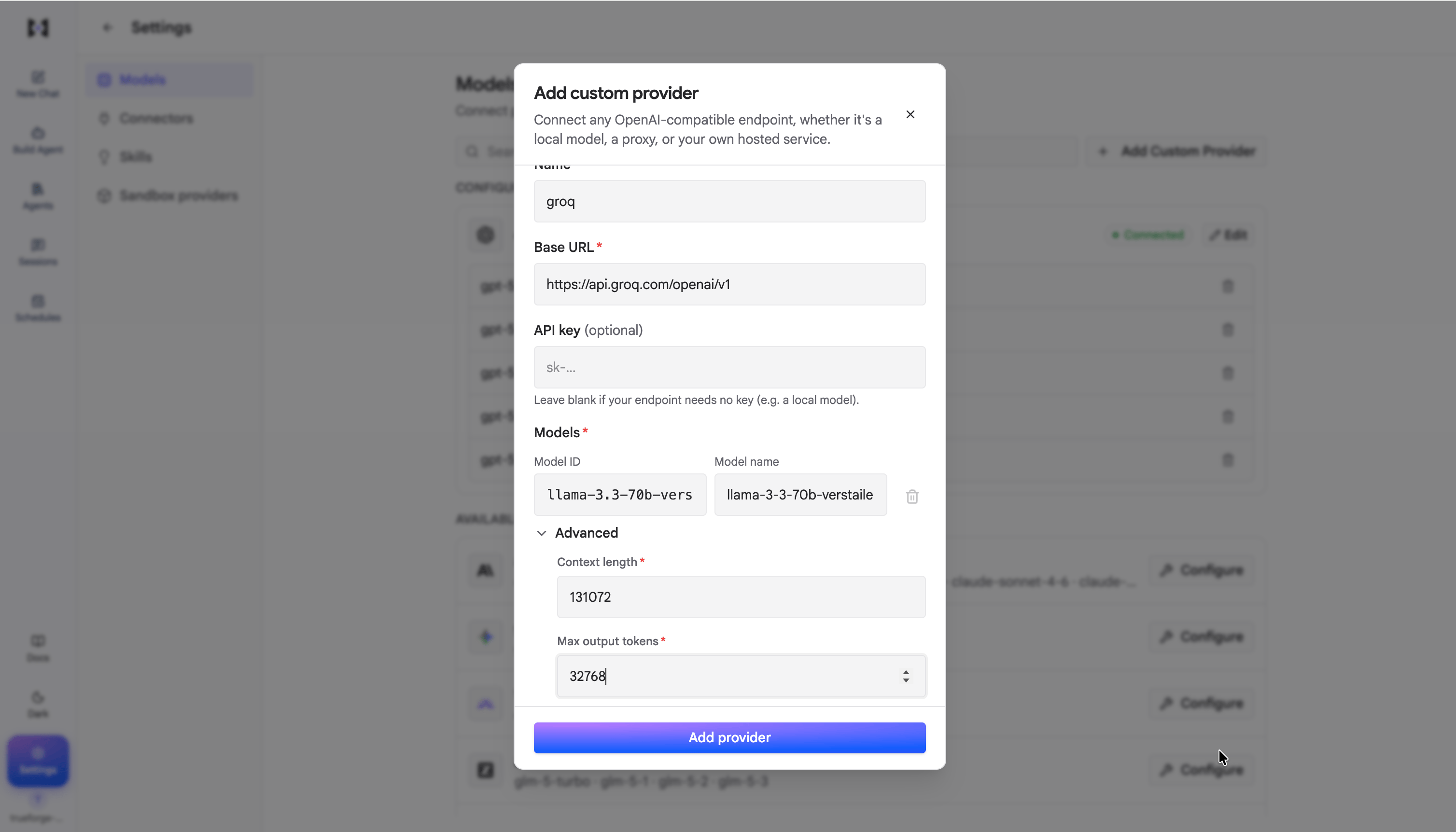
Use the `custom` provider type for vLLM, Ollama, a corporate gateway, or any other OpenAI-compatible API. Custom providers are not in the catalog — you add them yourself with a base URL, API key, and the model IDs you want exposed.
 **Planned:** automatic model selection for different turns or subagents. Today each agent uses the model you
configure. In the future, TrueForge will be able to pick among a set of models per turn or subagent based on task
complexity, latency, and cost.
This documentation is built and hosted on [Mintlify](https://mintlify.com), a developer documentation platform.
**Planned:** automatic model selection for different turns or subagents. Today each agent uses the model you
configure. In the future, TrueForge will be able to pick among a set of models per turn or subagent based on task
complexity, latency, and cost.
This documentation is built and hosted on [Mintlify](https://mintlify.com), a developer documentation platform.